
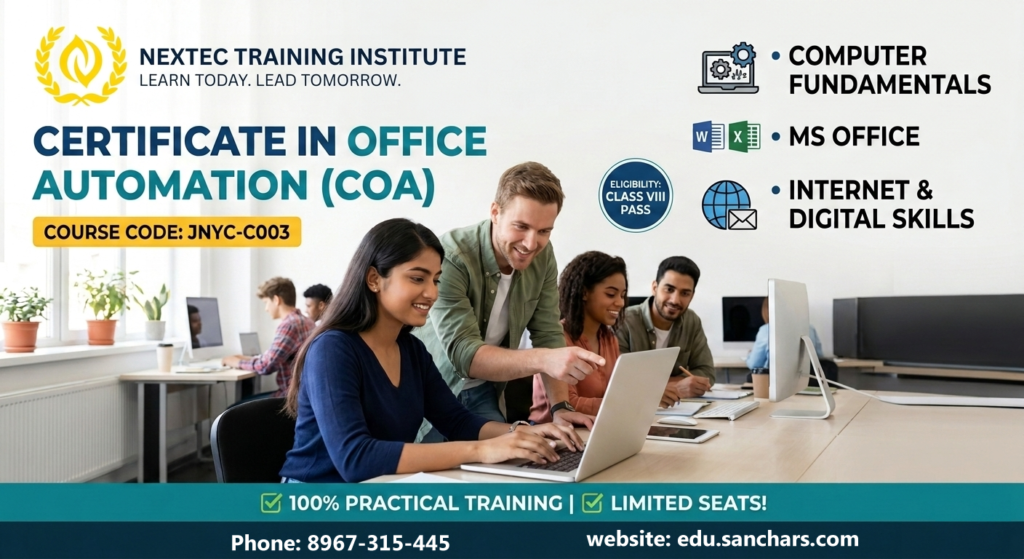
Course Name: Certificate in Office Automation (COA)
Course Code: JNYC-C003
Eligibility: Class VIII
Course Duration: 3 Months
Course Fees: 1250/-
Admission Amount: 350/-
Monthly Installment: 300/-
Total Installment: 3
Course Content: Detailed Module-by-Module Structure
Module 1: Fundamentals of Computer
Goal: Build basic hardware/software familiarity and remove “tech fear” for entry-level students.
-
-
Introduction to Computer Systems:
-
Understanding Input devices (Keyboard, Mouse, Scanner) and Output devices (Monitor, Printer).
-
What is Hardware vs. Software?
-
Understanding the CPU, RAM, and Storage (Hard Disk/SSD).
-
-
Operating System (OS) Basics (Windows):
-
Learning the Desktop interface, Taskbar, Start Menu, and System Tray.
-
Properly switching a computer ON and OFF (Shut down, Restart, Sleep).
-
Using external devices like Pen Drives, Card Readers, and Mobile Data Cables.
-
-
File & Folder Management (Crucial Office Skill):
-
Creating, renaming, copying, moving, and deleting files and folders.
-
Understanding file types (Documents, Images, Audio, Video, PDFs).
-
-
Basic Tools & Typing Mastery:
-
Working with built-in tools: Paint, Notepad, WordPad, and Calculator.
-
Daily dedicated typing practice to build baseline speed and finger positioning.
-
-
Module 2: MS Office Package (Word & Excel)
Goal: Master the two absolute pillars of daily office administration and paperwork.
Part A: MS Word (Documentation & Drafting)
-
-
Getting Started with Text:
-
Opening MS Word, creating new documents, and using templates.
-
Text formatting: Font styles, sizes, colors, bold, italic, underline.
-
Paragraph controls: Alignments (Left, Right, Center, Justify), line spacing, bullets, and numbering.
-
-
Page Setup & Layouts:
-
Setting margins, orientation (Portrait/Landscape), and page size (A4, Letter).
-
Adding Page Borders, Page Colors, and Watermarks.
-
-
Inserting Objects:
-
Creating and formatting Tables (Rows, Columns, Cell Merging for office data).
-
Adding shapes, clipart, pictures, and WordArt to documents.
-
-
Office Assignments & Projects:
-
Project 1: Drafting official leaves, notices, and simple business letters.
-
Project 2: Creating a professional bio-data / Resume.
-
-
Part B: MS Excel (Spreadsheets & Data Entry)
-
-
Introduction to Worksheets:
-
Understanding Rows, Columns, Cells, and Cell Addresses.
-
Entering different data types (Text, Numbers, Dates, Currency).
-
Adjusting row height, column width, and formatting cell borders/colors.
-
-
Basic Sorting & Editing:
-
Using AutoFill (Days, Months, Number series).
-
Sorting data alphabetically or numerically; basic data filtering.
-
-
Essential Formulas & Functions (Simplified):
-
Basic mathematical calculations (
+,-,*,/). -
Using essential formulas:
SUM,AVERAGE,COUNT,MAX,MIN.
-
-
Office Assignments & Projects:
-
Project 1: Creating a clean Student Progress Report Card or Marks Spreadsheet.
-
Project 2: Designing a Monthly Cash Book / Household Budget Sheet.
-
-
Module 3: Internet & Digital Skills
Goal: Teach students how to safely search the web, manage communications, and print office files.
-
-
Web Browsing Foundations:
-
Using popular browsers (Google Chrome, Microsoft Edge).
-
How to search for information on Google effectively.
-
Downloading images, forms, syllabus copies, and PDF documents safely.
-
-
Email Communication:
-
Creating a personal/professional Gmail account.
-
How to compose an email, write clear subject lines, and use
To,CC. -
Attaching documents (Word files, Excel sheets, images) to emails.
-
Checking the Inbox, replying, forwarding, and managing Spam.
-
-
Daily Office Operations:
-
Connecting a printer, checking ink/paper levels, and printing documents from Word/Excel/Webpages.
-
Scanning documents using a digital scanner or mobile scanner apps.
-
-
Course Benefits: Core Benefits of the Certificate in Office Automation Course
1. Tailored for Beginners (Easy Learning Curve)
Since the eligibility starts from Class VIII, the curriculum is completely jargon-free. It doesn’t require any prior background in English fluency or technology, making it the perfect “first step” into the digital world.
2. Immediate Modern Employability
A formal qualification alone isn’t always enough to secure an office job today. Adding “Office Automation” to a resume proves to local employers that the candidate can immediately handle computer-based workflows without needing extra training.
3. Independence in Daily Digital Life
Students stop depending on others for basic digital needs. They learn how to safely fill out online application forms, download official receipts, check government portals, and execute digital payments without fear.
4. Smart Workplace Automation
-
-
Document Precision: Learning layout margins, tables, and typography ensures all letters, notices, and bio-data look professional.
-
Time-Saving Calculators: Using automatic formulas in Excel frees up hours of manual paperwork and completely eliminates human mathematical errors.
-
5. Secure Internet and Communication Habits
Students learn correct email etiquette (using To, CC, and attachments properly), which is a non-negotiable skill in any corporate space. Crucially, they also learn online safety—how to identify secure web domains and protect themselves against scams.
6. Stepping Stone to Advanced IT Paths
This course acts as a confidence booster. Once a student completely masters the Fundamentals, MS Office, and the Internet, they are fully equipped to smoothly transition into higher-level tracks like Financial Accounting (Tally), Graphic Designing, or Hardware Networking.
Scope This Course: Future Scope & Career Opportunities
Even with basic schooling, completing this certificate proves that a candidate knows how to run a modern office computer. It opens up immediate job opportunities in small businesses, local retail stores, coaching centers, and private firms:
-
-
Office Helper / Assistant: Managing day-to-day paperwork, printing office schedules, and drafting simple letters or notices.
-
Data Entry Staff: Handling basic entry registers, updating client lists, or managing store stock using MS Excel.
-
Front Desk & Reception Executive: Managing guest logs, checking and replying to official emails, and coordinating front-desk tasks.
-
Billing Clerk / Cashier: Creating customer invoices, printing receipts, and maintaining daily cash records in retail shops or supermarkets.
-
Self-Employment (Cyber Cafe / Digital Service Center Partner): Assisting others with filling out online application forms, downloading documents, printing passport-size photos, and performing internet searches.
-