
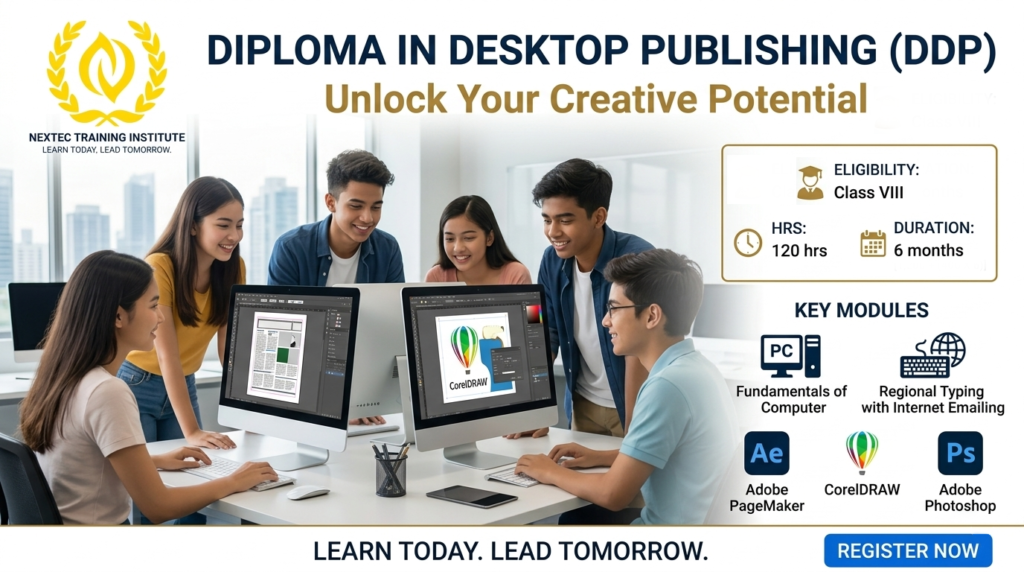
Course Name: Diploma in Desktop Publishing (DDP)
Course Code: JNYC-D018
Eligibility: Class VIII
Course Duration: 6 Months
Course Fees: 3600/-
Admission Amount: 1200/-
Monthly Installment: 400/-
Total Installment: 6
Course Content: Module 1: Fundamentals of Computer & Operating Systems (Month 1)
Building a strong base in computer handling and digital hygiene.
-
Computer Basics: Introduction to hardware (CPU, Monitor, Keyboard, Mouse) and software concepts.
-
Windows OS Navigation: Working with files, folders, desktop customization, and shortcut keys.
-
Storage & Memory Management: Understanding pen drives, hard disks, and basic file saving/moving practices.
Module 2: Regional Typing & Internet Emailing (Month 2)
Developing high-speed data entry skills in both English and local scripts, alongside essential online communication.
-
Touch Typing Foundations: Mastering the keyboard layout for speed and accuracy.
-
Regional Language Typing: Complete training in local script typing (Bengali/Avro/Unicode) for printing local documents.
-
Internet Basics & Browsing: How to search safely, download images/assets for design work, and avoid online scams.
-
Emailing Skills: Creating professional email accounts, composing emails, sending attachments, and managing the inbox.
Module 3: Layout Designing with Adobe PageMaker (Month 3)
Learning the core application for book publishing, newspapers, and text layouts.
-
Introduction to PageMaker: Understanding the workspace, toolbox, rulers, and master pages.
-
Text Formatting & Layouts: Creating columns, formatting paragraphs, inserting page numbers, and importing text.
-
Document Setup: Designing visiting cards, cash memos, bio-data, letterheads, and multi-page booklets.
-
Printing Setup: Understanding paper sizes (A4, Legal, Letter) and preparing files for final print.
Module 4: Vector Graphics & Branding with CorelDRAW (Month 4-5)
Mastering vector illustration for high-quality, scalable commercial printing.
-
CorelDRAW Workspace: Mastering basic shapes, lines, curves, and the powerful Pen tool.
-
Color Schemes & Fills: Working with CMYK vs. RGB colors, gradients, and pattern fills.
-
Commercial Design Production: Designing professional logos, wedding/invitation cards, leaflets, brochures, and flex banners.
-
Import & Export: Saving designs in print-ready formats (PDF, EPS, High-Res JPEG).
Module 5: Image Editing & Manipulation with Adobe Photoshop (Month 5-6)
Learning the industry-standard software for digital image enhancement and photo clean-up.
-
Photoshop Tools & Interface: Understanding layers, history, selection tools, and cropping.
-
Photo Correction & Enhancement: Color balancing, brightness adjustment, skin retouching, and repairing old photos.
-
Background Removal & Manipulation: Cutting out subjects smoothly, changing backgrounds, and image composition.
-
Studio Design Work: Designing passport-size photos, passport sheets, and digital creative posters.
Module 6: Final Portfolio & Assessment (End of Month 6)
-
Live Project: Students design a complete publishing kit (Logo + Visiting Card + Bill Book + Banner) from scratch.
-
Practical Examination: Speed typing test (English + Regional) and a live design practical exam followed by certification.
Course Benefits: Benefits of the DDP Course
-
Low Entry Barrier: Open to anyone who has completed Class VIII, making it an excellent opportunity for early skill development or restarting an education.
-
Highly Affordable: The pocket-friendly monthly fee structure ensures that financial constraints do not stand in the way of learning valuable tech skills.
-
Dual Language Edge: Learning Regional Typing paired with English gives students a huge advantage in regional business hubs and local government data entry expectations.
-
100% Practical & Job-Oriented: The course avoids heavy theoretical jargon and focuses completely on software skills that local printing presses and design agencies actually pay for.
-
Print & Digital Ready: Students don’t just learn to design on screen; they learn the technical aspects of physical printing, paper sizes, and color profiles.
Low Entry Barrier: Open to anyone who has completed Class VIII, making it an excellent opportunity for early skill development or restarting an education.
Highly Affordable: The pocket-friendly monthly fee structure ensures that financial constraints do not stand in the way of learning valuable tech skills.
Dual Language Edge: Learning Regional Typing paired with English gives students a huge advantage in regional business hubs and local government data entry expectations.
100% Practical & Job-Oriented: The course avoids heavy theoretical jargon and focuses completely on software skills that local printing presses and design agencies actually pay for.
Print & Digital Ready: Students don’t just learn to design on screen; they learn the technical aspects of physical printing, paper sizes, and color profiles.
Scope This Course: Desktop Publishing is an evergreen field. Every business, school, festival, and event requires printed materials, creating a constant demand for skilled operators.
Potential Job Roles:
-
DTP Operator / Typography Specialist: In local publishing houses, newspapers, and printing presses.
-
Graphic Designer (Print Media): At flex banner shops, offset printers, and advertising agencies.
-
Photo Studio Assistant: Handling passport photo creation, photo restoration, and digital image edits.
-
Data Entry Operator: In local corporate offices or government utility centers requiring fast regional typing.
Self-Employment & Freelancing Scope:
-
Start Your Own Micro-Business: With just a computer and a printer, graduates can open a local design and typing center to offer services like xerox, lamination, wedding card printing, and online form fill-ups.
-
Freelance Document Designer: Take remote orders for typing books, designing menus, or formatting resumes from the comfort of home.