
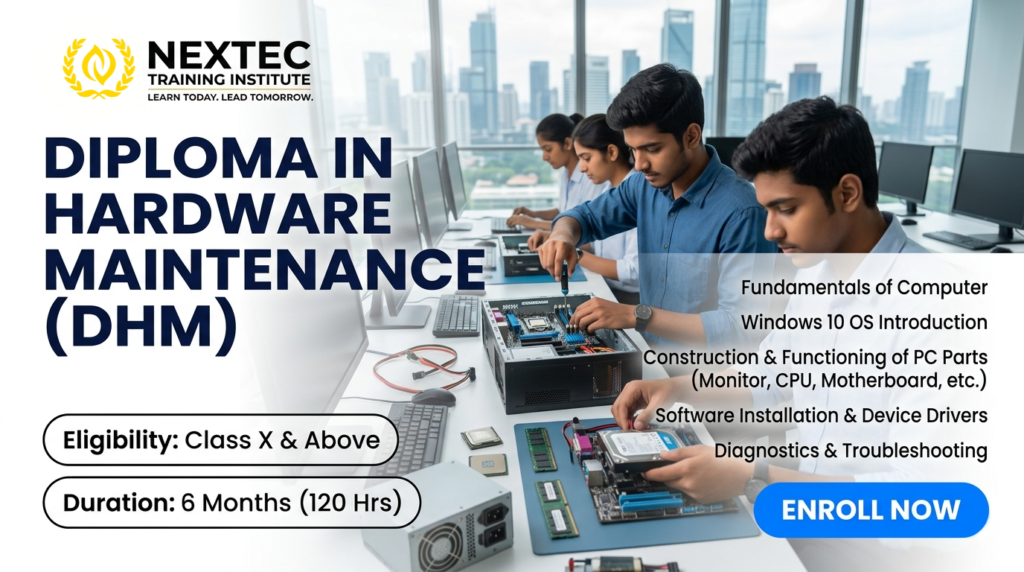
Course Name: Diploma in Hardware Maintenance (DHM)
Course Code: JNYC-D020
Eligibility: Class X
Course Duration: 6 Months
Course Fees: 4500/-
Admission Amount: 1500/-
Monthly Installment: 500/-
Total Installment: 6
Course Content: Module 1: Fundamentals of Computer & Basic Electronics (15 Hours)
-
Computer Evolution & Architecture: Von Neumann architecture, block diagrams of a computer system, and data flow lines.
-
Concepts of Electrical Units: Voltage, Current, Resistance, and Continuity.
-
Electronic Components: Identification and testing of resistors, capacitors, transistors, and diodes.
-
Safety Protocols: Electrostatic Discharge (ESD) safety, grounding techniques, and safe tool handling (multimeters, soldering irons).
Module 2: Construction & Functioning of PC Components (35 Hours)
-
The Motherboard Internal Ecosystem: Form factors (ATX, Micro-ATX), expansion slots (PCIe, DIMM), chipsets (Northbridge/Southbridge architecture), and CMOS/BIOS batteries.
-
Processors (CPU): Intel vs. AMD architectures, socket types, cooling mechanisms, and thermal paste application.
-
Memory Systems: Types of RAM (DDR3, DDR4, DDR5), ROM types, and storage technologies (HDD vs. SATA SSD vs. NVMe M.2).
-
Power Supply Unit (SMPS): Pin configurations (24-pin, EPS, PCIe), voltage distribution lines, and power capacity calculation.
-
Display & Peripherals: Inner mechanics and interfaces of LCD/LED Monitors, optical drives (CD-ROM/DVD-RW), keyboards, and mice.
Module 3: OS Introduction, Installation & Configuration (25 Hours)
-
Windows 10 Architecture: Kernel functions, system files, and registry architecture.
-
Storage Preparation: Disk partitioning (MBR vs. GPT file systems), formatting, and creating bootable USB media.
-
Clean OS Installation: Step-by-step deployment of Windows 10, setting up user access controls, and local group policies.
-
Command Line Mastery: Working with essential CLI tools (diskpart, ping, ipconfig, sfc /scannow).
-
Alternative OS Overview: Introduction to open-source systems (Linux/Ubuntu installation baselines).
Module 4: Device Drivers & Software Deployment (20 Hours)
-
Driver Architecture: Finding, updating, and rolling back chipset, graphics, audio, and network drivers using Device Manager.
-
Enterprise Software Packaging: Installation and licensing configurations for office suites, utility utilities, and recovery platforms.
-
Security Implementation: Deploying enterprise anti-malware, configuring Windows Defender Firewall, and setting up automated backup routines.
Module 5: Diagnostic, Diagnostics & Troubleshooting (25 Hours)
-
Hardware Post Diagnostics: Interpreting Power-On Self-Test (POST) sequences and analyzing motherboard beep codes.
-
Advanced System Recovery: Resolving the Blue Screen of Death (BSOD), Master Boot Record (MBR) repair, and Windows recovery environments.
-
Assembling & Disassembling Lab: Full breakdown and step-by-step reconstruction of a desktop tower system.
-
Preventive Maintenance: Dust management, voltage stabilization verification, and checking drive health indicators via S.M.A.R.T. parameters.
Computer Evolution & Architecture: Von Neumann architecture, block diagrams of a computer system, and data flow lines.
Concepts of Electrical Units: Voltage, Current, Resistance, and Continuity.
Electronic Components: Identification and testing of resistors, capacitors, transistors, and diodes.
Safety Protocols: Electrostatic Discharge (ESD) safety, grounding techniques, and safe tool handling (multimeters, soldering irons).
The Motherboard Internal Ecosystem: Form factors (ATX, Micro-ATX), expansion slots (PCIe, DIMM), chipsets (Northbridge/Southbridge architecture), and CMOS/BIOS batteries.
Processors (CPU): Intel vs. AMD architectures, socket types, cooling mechanisms, and thermal paste application.
Memory Systems: Types of RAM (DDR3, DDR4, DDR5), ROM types, and storage technologies (HDD vs. SATA SSD vs. NVMe M.2).
Power Supply Unit (SMPS): Pin configurations (24-pin, EPS, PCIe), voltage distribution lines, and power capacity calculation.
Display & Peripherals: Inner mechanics and interfaces of LCD/LED Monitors, optical drives (CD-ROM/DVD-RW), keyboards, and mice.
Windows 10 Architecture: Kernel functions, system files, and registry architecture.
Storage Preparation: Disk partitioning (MBR vs. GPT file systems), formatting, and creating bootable USB media.
Clean OS Installation: Step-by-step deployment of Windows 10, setting up user access controls, and local group policies.
Command Line Mastery: Working with essential CLI tools (diskpart, ping, ipconfig, sfc /scannow).
Alternative OS Overview: Introduction to open-source systems (Linux/Ubuntu installation baselines).
Driver Architecture: Finding, updating, and rolling back chipset, graphics, audio, and network drivers using Device Manager.
Enterprise Software Packaging: Installation and licensing configurations for office suites, utility utilities, and recovery platforms.
Security Implementation: Deploying enterprise anti-malware, configuring Windows Defender Firewall, and setting up automated backup routines.
Hardware Post Diagnostics: Interpreting Power-On Self-Test (POST) sequences and analyzing motherboard beep codes.
Advanced System Recovery: Resolving the Blue Screen of Death (BSOD), Master Boot Record (MBR) repair, and Windows recovery environments.
Assembling & Disassembling Lab: Full breakdown and step-by-step reconstruction of a desktop tower system.
Preventive Maintenance: Dust management, voltage stabilization verification, and checking drive health indicators via S.M.A.R.T. parameters.
Course Benefits: Benefits of the DHM Course
-
High-Demand Practical Skillset: Shifts focus away from abstract theory straight into practical, bench-level physical diagnostic skills.
-
Low Entry Barrier: Provides a robust pathway into the core IT and technology workforce immediately following Class X completion.
-
Launchpad for Entrepreneurship: Equips individuals with the technical confidence required to independently run local repair networks or computer hardware shops.
-
Cost-Efficient Local Value: Reduces dependence on third-party IT support frameworks for local businesses, schools, and offices.
High-Demand Practical Skillset: Shifts focus away from abstract theory straight into practical, bench-level physical diagnostic skills.
Low Entry Barrier: Provides a robust pathway into the core IT and technology workforce immediately following Class X completion.
Launchpad for Entrepreneurship: Equips individuals with the technical confidence required to independently run local repair networks or computer hardware shops.
Cost-Efficient Local Value: Reduces dependence on third-party IT support frameworks for local businesses, schools, and offices.
Scope This Course: Scope & Career Opportunities After Completion
A diploma in hardware maintenance serves as an entry point into technical backend operations, ground support fields, and maintenance infrastructure across corporate networks and public institutions.
| Job Role | Core Responsibility |
| Hardware Technical Specialist | Executing component assembly, system component upgrades, and hardware inventory optimization. |
| Desktop Support Engineer | Troubleshooting OS failures, handling configuration requests, and setting up terminal workstations. |
| Field Service Technician | Traveling to client sites to install systems, repair broken hardware, and handle periodic system check-ups. |
| Lab Assistant (Schools/Colleges) | Maintaining computer labs, configuring test environments, and addressing daily student system issues. |
| Independent IT Entrepreneur | Launching a personal business specializing in customized PC building, component repair, and corporate annual maintenance contracts (AMC). |